Lockdown Areas
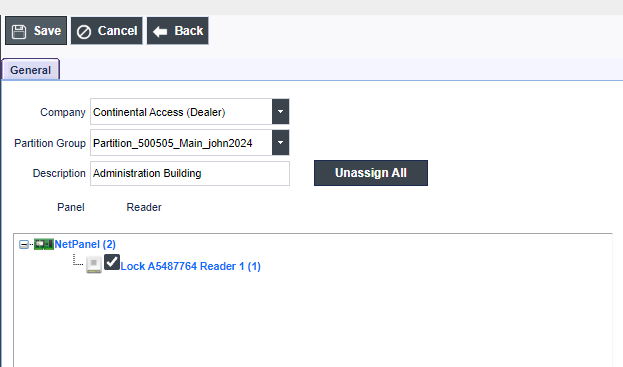
Lockdown Areas provides the ability to Lockdown a building or a complete campus with one click of the mouse. This feature controls the Lockdown of one or more readers in a pre-configured area.
MUST READ Important Notes:
- Lockdown Areas provide the ability to lockdown an area or building with a click of the mouse. Configuring Threat Level Management requires the use of Lockdown Areas.
- Lockdowns are executed on the Lockdown menu selection.
- To perform a Lockdown please refer to Lockdown
To open the Lockdown Areas screen, click Access>Lockdown Areas on the MVP Access main menu.

Adding Lockdown Areas
Follow the steps below if you wish to ADD a Lockdown Area:
- Click Add.
- Select the Lock/Panel.
- Type in a Descriptive Name for the Area Lockdown.
- Select the Readers/Doors you wish to include in the Area Lockdown.
- Click Save.